


FlashReel: AI Video Maker
0.00.00 Reviews
App Specs
- Version
- 1.0.0
- Updated On
- License
- Free
- Downloads
- 10,000+
- Developer
- ZeroOneSol
- Categories
- Art & Design
- Platform
- Android
Screenshots
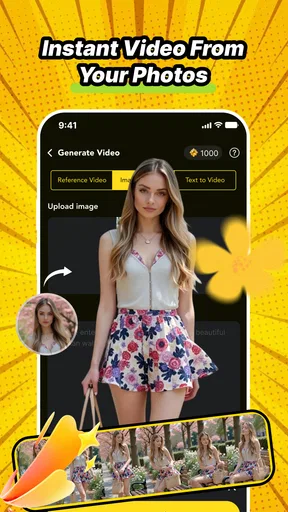
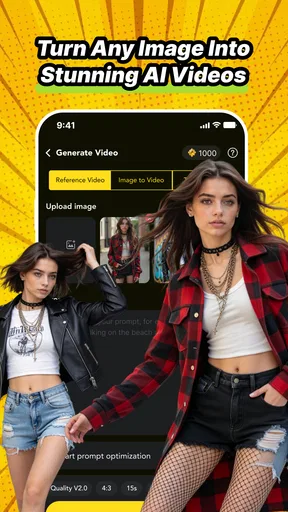
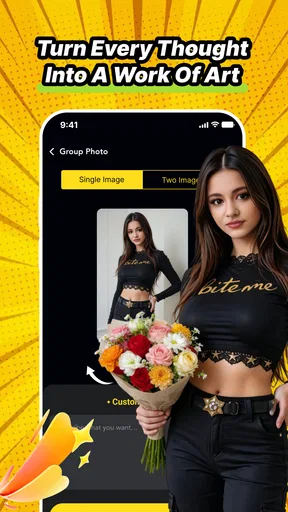
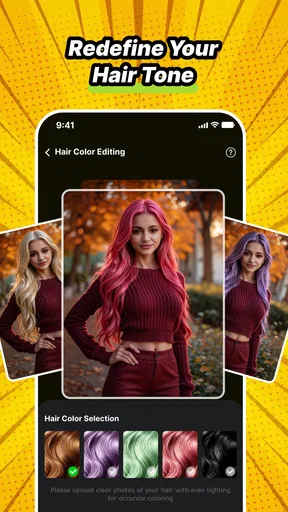
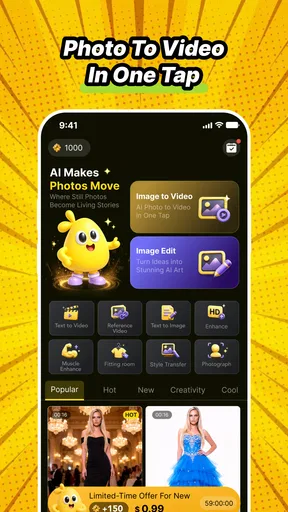
 Analysis by AppCompare
I approached FlashReel: AI Video Maker as a quick creative tool rather than a replacement for a full video editor, and that distinction explains most of my experience with it. Its appeal is immediate: it turns still images into short animated pieces and gives you ready-made creative directions to explore without demanding a long editing session. For someone who wants to make a lively social post, a visual greeting, or a quick experiment from photos, that can be genuinely useful.
At the same time, I would not choose it for a carefully controlled film project or a detailed brand production. The app’s strength is speed and accessibility. Its trade-off is that an AI-led workflow gives you less precise control than a traditional timeline editor. My overall view is positive for casual creators who want an easy starting point, but more cautious for anyone who needs predictable motion, exact timing, or a deeply customized result.
What using FlashReel feels like
FlashReel sits in the Art & Design category and is developed by ZeroOneSol. The basic idea is simple enough to understand quickly: bring in a photo, choose a creative direction, and let the app help turn a static image into a video-like result. That makes it less intimidating than opening a conventional editor filled with tracks, trimming tools, keyframes, and adjustment panels.
I found the concept most convincing when I treated a photograph as the starting point for an idea, not as a finished production asset. A portrait can become a more expressive visual, a travel image can gain movement, and a product photo can be presented in a more attention-grabbing format. The result depends heavily on the source image and the style you choose, so the app rewards a little preparation rather than completely random experimentation.
The store summary describes AI animation for photos and creative video templates, and that combination is the heart of the experience. The AI side helps make a still image feel less static, while the templates provide direction when I do not already have a visual plan. In practice, this is valuable because the hardest part of quick content creation is often not pressing the export button; it is deciding what the content should look like in the first place.
I also appreciate that FlashReel is free to start. That makes it easier to test the workflow before deciding whether it belongs in your regular creative routine. The app is marked for Mature 17+ users, and it includes in-app purchases ranging from $1.99 to $99.99 per item. I would therefore explore the free experience carefully before committing to paid options, especially if I only needed an occasional animated image.
Where the app is genuinely strong
The clearest advantage is the reduced distance between an ordinary photo and a shareable visual. In a usual mobile editor, I might need to choose a canvas, place the image, add movement, arrange a transition, and adjust the timing. FlashReel’s AI-focused approach is more direct. It is designed around the outcome I want rather than making me build every part manually.
Worth Reading Before You Choose

EA SPORTS FC Mobile 26 Is a Bigger Football Game, but It Takes Time

Flipboard Shows What News Apps Must Do Beyond the Feed

Switching to Android Auto Means Rethinking Your Driving Routine

Google Calendar Makes a Crowded Week Easier to Manage

Ludo King Makes the Most of the Minutes Between Plans

Baby Panda World Brings Quick Play to Modern Phones, but Its Game Library Feels Busy
That is particularly helpful when I have a good image but no editing experience. A person who knows how to take a photo but does not understand keyframes can still explore motion-based ideas. I would recommend starting with a clean, well-lit image where the main subject is easy to identify. Busy backgrounds, several competing subjects, or partially hidden faces can make an automated result feel less convincing, so choosing the right source matters more than many first-time users expect.
The templates are also more useful when treated as creative prompts instead of guaranteed solutions. I would try several directions with the same image, then compare which one preserves the subject’s character. This approach avoids a common mistake: accepting the first animation simply because it appeared quickly. Speed is the app’s selling point, but a short review of the alternatives can make the final result feel much more intentional.
Another practical strength is its suitability for people who create from a phone. I can imagine using it during a commute, between tasks, or while preparing a quick post for a personal account. It does not require the mindset of a desktop editing session. That makes it a useful companion for spontaneous ideas, especially when the original material is already stored on the device.
For a small business owner, the workflow could be useful for testing visual concepts before spending time on a more polished campaign. A shop could animate a product photograph to see whether movement makes it more noticeable in a feed. A café could turn a still image of a new item into a short announcement. I would treat these as draft-level or lightweight promotional assets unless the output meets a stricter quality standard after inspection.
Three workflows that make better use of it
My first practical tip is to prepare a small group of related images instead of relying on one photograph. For a birthday message, for example, I would gather a portrait, a detail shot, and a wider scene, then test which image works best with the same creative direction. This reveals whether the visual idea is actually strong or whether one unusually good photo is doing all the work.
A second useful workflow is to create variations before adding any external text or branding. AI animation can change the visual emphasis of a photo, and placing captions too early may force you to redesign them later. I would first decide which motion feels natural, then add the supporting message in whatever platform or editor I use afterward. This keeps the concept flexible and reduces wasted effort.
Third, I would keep the original image untouched and compare the animated version beside it. This is not just a backup habit. It helps me notice whether the movement improves the image or merely distracts from it. If the subject becomes less clear, the animation may be technically interesting but still unsuitable for the intended audience.
These workflows point to an important trade-off: FlashReel is excellent for generating possibilities, but I would still make the final editorial decision myself. The app can speed up the first creative pass; it should not replace judgment about tone, clarity, or whether the movement fits the message.
The limitation I noticed most
The same automation that makes FlashReel approachable can also make it feel restrictive. When I want exact control over how a subject moves, where a transition begins, or how long a visual beat lasts, a conventional editor is usually the better choice. Timeline-based apps may take longer to learn, but they let me make deliberate changes instead of choosing among automated treatments.
This matters for professional work. If a client expects a specific camera-like movement, consistent pacing across several assets, or a precise match with a soundtrack, I would not make FlashReel my only tool. I would use it for early concepts or quick alternatives, then move the strongest idea into a more controlled editor if the project required dependable repeatability.
There is also a quality judgment that users need to make for themselves. An animated photo can look engaging in one context and artificial in another. A playful personal post may benefit from an obvious creative effect, while a memorial image, formal announcement, or product demonstration may need restraint. The app makes experimentation easy, but it cannot decide whether a particular effect is appropriate for the emotional situation.
The purchase structure deserves attention as well. Since the app is free with individual in-app items priced from $1.99 to $99.99, I would avoid assuming that every creative option belongs to the free experience. Before building a repeatable workflow around a particular template or effect, I would check how it fits within the available purchase choices. That is especially important for users who need predictable costs for frequent content production.
The current version is 1.0.0, and that makes me view the app as an early-stage tool rather than a fully mature production suite. That is not automatically a problem, but it does affect my expectations. I would be happy to use it for exploration and lightweight content while keeping another editor available for projects where reliability and detailed control matter more than convenience.
Who should use it, and who should skip it
I think FlashReel is a good fit for social media users who want to make a still image feel more active without learning complex editing software. It also suits casual photographers, students working on visual presentations, and small creators who need quick ideas rather than a complete post-production system. Its free entry point makes experimentation less demanding, while the template approach helps when inspiration is limited.
A realistic everyday scenario would be preparing a last-minute announcement for a family event. I could choose a clear photo, test a few visual treatments, select the one that keeps the message readable, and use the resulting clip as a more engaging alternative to a static image. The value here is not cinematic quality; it is getting from “I have a photo” to “I have something presentable” with less friction.
I would also recommend it to someone who feels stuck when facing a blank canvas. Templates can provide a starting structure, and the AI element encourages trying ideas that might not occur to a beginner. The best users will be willing to compare results and discard weak versions rather than expecting the first automated attempt to be perfect.
On the other hand, I would steer away from it if your main goal is manual precision. Editors with layers, detailed timelines, audio controls, and keyframe-style adjustments are more appropriate for music videos, client campaigns, instructional content, or anything that must follow a strict visual plan. FlashReel can contribute to those projects as an idea generator, but it is not the tool I would trust alone for every finishing step.
I would also skip it if you dislike AI-assisted creative workflows in principle. The app’s central appeal comes from letting automation suggest or produce movement from a still image. Someone who wants to control every visual decision may find the convenience less valuable than the loss of direct manipulation. In that case, the usual alternatives may feel slower but ultimately more satisfying.
Device fit and practical expectations
FlashReel supports Android 7.0 and later, which gives it a broad compatibility range for Android users with older devices. I would still judge the experience by the phone’s available storage, performance, and the complexity of the chosen project rather than by the operating-system requirement alone. AI-assisted media work can feel more demanding than ordinary photo browsing, so leaving room for the app and its generated files is sensible.
I would plan to review each result before sharing it, particularly when the image includes a face, small text, or a detailed object. A quick visual check can catch awkward movement, reduced readability, or a style that does not match the original mood. This small pause is the difference between using the app thoughtfully and posting an automated result without considering how it will be received.
Because it is an Art & Design app rather than a general-purpose editor, I see its role as focused and complementary. It is not trying to replace every tool on a creator’s phone. Its best contribution is giving a photo a fast creative treatment, after which I can decide whether the result is ready to share or needs further work elsewhere.
My final recommendation
FlashReel is worth trying if you want fast, AI-assisted animation from photos and prefer guided creativity over a complicated editing timeline. I like the way it lowers the barrier to making a visual clip, and the template approach gives beginners a practical way to explore styles without starting from nothing. For personal posts, quick announcements, and early creative concepts, it can save time and encourage experimentation.
My recommendation comes with a clear condition: treat it as a rapid idea-and-content tool, not as a precision production studio. Check the result, protect the original image, compare more than one treatment, and be mindful of the purchase options before depending on paid creative items. Users who need exact timing or professional repeatability will be happier with a traditional editor.
With over 10 thousand installs and a free starting point, FlashReel is easy to approach, while its Mature 17+ rating and paid items make it sensible to use with a little awareness. ZeroOneSol has built an app with a focused purpose, and in my experience that purpose is clearest when I need a photo to become more expressive quickly. If your priority is creative momentum rather than complete manual control, FlashReel is a useful addition to an Android design toolkit.
Pros
- Turns simple prompts into short
- polished videos quickly.
- Offers ready-made templates for social media content.
- AI-assisted editing reduces the need for advanced video skills.
- Useful for creating promotional clips
- reels
- and visual stories.
- Helps maintain consistent styles across multiple generated videos.
Cons
- AI-generated results may require manual edits for accuracy.
- Some advanced tools or exports may be limited to paid plans.
- Video generation can consume considerable time and device data.
- Results may look repetitive when using popular templates.
- Output quality can vary depending on the prompt and source material.
FAQs for FlashReel: AI Video Maker
What is FlashReel: AI Video Maker, and what can I use it for?
FlashReel: AI Video Maker is designed to help users create short videos with the assistance of artificial intelligence. It can be useful for social media posts, promotional clips, presentations, storytelling, and quick visual content. Instead of editing every element manually, you can typically provide an idea, script, images, or other media and let the app help organize the video with effects, transitions, text, and audio.
Is FlashReel: AI Video Maker suitable for beginners without editing experience?
Yes, the app is aimed primarily at users who want a simpler alternative to traditional video-editing software. Its AI-assisted workflow can reduce the need to understand timelines, layers, transitions, and advanced editing tools. Nevertheless, beginners should still expect to review the generated result carefully, because automatic scene choices, captions, pacing, or voiceovers may require adjustments before the video looks polished and matches the intended message.
Does FlashReel create complete videos automatically from a text prompt?
FlashReel may automate much of the video creation process, but users should not assume that every result will be ready to publish without changes. AI-generated videos can depend on the quality and detail of the prompt, the available templates, and the media supplied by the user. After generation, it is advisable to check the script, visuals, pronunciation, timing, captions, music, and branding for accuracy.
Is FlashReel: AI Video Maker free to download and use?
The application may be available to download at no initial cost, but some features can be restricted by subscriptions, credits, in-app purchases, or export limitations. These restrictions may apply to premium templates, higher-quality rendering, longer videos, AI tools, watermark removal, stock media, or advanced customization. Before starting a project, review the current pricing and subscription terms shown in the official app store.
Can I export and share videos made with FlashReel?
FlashReel is intended to help users produce content that can be saved and shared, although the available export formats, resolutions, duration limits, and watermark rules may vary depending on the account or plan. Before publishing a video commercially, check the app’s licensing conditions for music, stock footage, AI-generated assets, and voices. It is also wise to preview the final export to confirm that quality and audio are correct.


